
How to Use Google Dorks for OSINT: A Beginner's Guide
Master advanced search techniques for Open Source Intelligence gathering in 2025
Table of Contents
Introduction to OSINT and Google Dorks
What is OSINT?
Open Source Intelligence (OSINT) is the practice of collecting and analyzing publicly available information to produce actionable intelligence. From social media posts to government databases, OSINT professionals gather data that's legally accessible to anyone.
In today's digital landscape, information is power. Whether you're a cybersecurity professional, journalist, researcher, or curious student, the ability to efficiently find hidden information online has become an invaluable skill. This is where Google Dorks come into play.
Professional OSINT investigators use Google Dorks as part of their intelligence gathering toolkit
Google Dorks represent one of the most accessible yet powerful techniques in the OSINT toolkit. While most people use Google for basic searches, security professionals and investigators leverage advanced search operators to uncover information that others can't find.
Why Google Dorks Matter in 2025
- Over 8.5 billion searches are performed on Google daily
- Google indexes billions of documents, many containing sensitive information
- Advanced operators can reveal data not visible through regular searches
- Essential skill for cybersecurity professionals and researchers
What Are Google Dorks?
Google Dorks, also known as Google Hacking, are advanced search queries that use specific operators to find information that's typically hidden from standard searches. They allow you to filter Google's massive index with surgical precision.
Origins of the Term
The term "Google Dork" was popularized by Johnny Long, a security researcher who created the Google Hacking Database (GHDB). What started as a way to find security vulnerabilities has evolved into a fundamental OSINT technique.
Today, Google Dorks are used by:
- Cybersecurity Professionals: To identify vulnerabilities and exposed data
- OSINT Investigators: To gather intelligence from public sources
- Journalists: To uncover documents and information for stories
- Researchers: To find academic papers and data sets
- Bug Bounty Hunters: To discover security flaws in web applications

Essential Google Dork operators every OSINT investigator should know
How Google Dorks Work
Google Dorks work by combining specific search operators with targeted keywords. Instead of searching broadly, these operators help you:
Filter by File Type
Find specific document formats like PDFs, DOCs, or spreadsheets
Target Specific Sites
Limit searches to particular domains or website types
Reveal Hidden Content
Uncover pages and files not easily found through navigation
Precise Targeting
Search for exact phrases in titles, URLs, or content
Legal and Ethical Considerations
Important Disclaimer
Google Dorking involves searching publicly available information indexed by Google. However, accessing or using certain information may still violate privacy laws, terms of service, or ethical guidelines.
Always ensure your activities comply with local laws and ethical standards.
Legal Boundaries
| ✅ Generally Legal | ❌ Potentially Illegal |
|---|---|
| Searching publicly indexed information | Accessing password-protected systems |
| Academic and journalistic research | Downloading sensitive personal data |
| Security research on your own systems | Exploiting discovered vulnerabilities |
| OSINT investigation for legitimate purposes | Stalking or harassment |
Ethical Guidelines for OSINT Practitioners
- Respect Privacy: Just because information is public doesn't mean it should be exploited
- Report Vulnerabilities: If you find security flaws, report them responsibly
- Verify Information: Always cross-check findings with multiple sources
- Follow Laws: Understand and comply with local and international regulations
- Document Process: Keep records of your methodology for transparency
White Hat vs. Black Hat Usage
White Hat (Ethical) Usage
- • Security testing with permission
- • Academic research
- • Journalism and investigations
- • Bug bounty programs
- • Competitive analysis
- • Digital forensics
Black Hat (Unethical) Usage
- • Unauthorized system access
- • Data theft
- • Personal information harvesting
- • Corporate espionage
- • Privacy violations
- • Malicious exploitation
Top 10 Google Dork Examples (2025 Edition)
Here are the most effective Google Dorks used by OSINT professionals in 2025. Each example includes the query, explanation, and potential use cases.
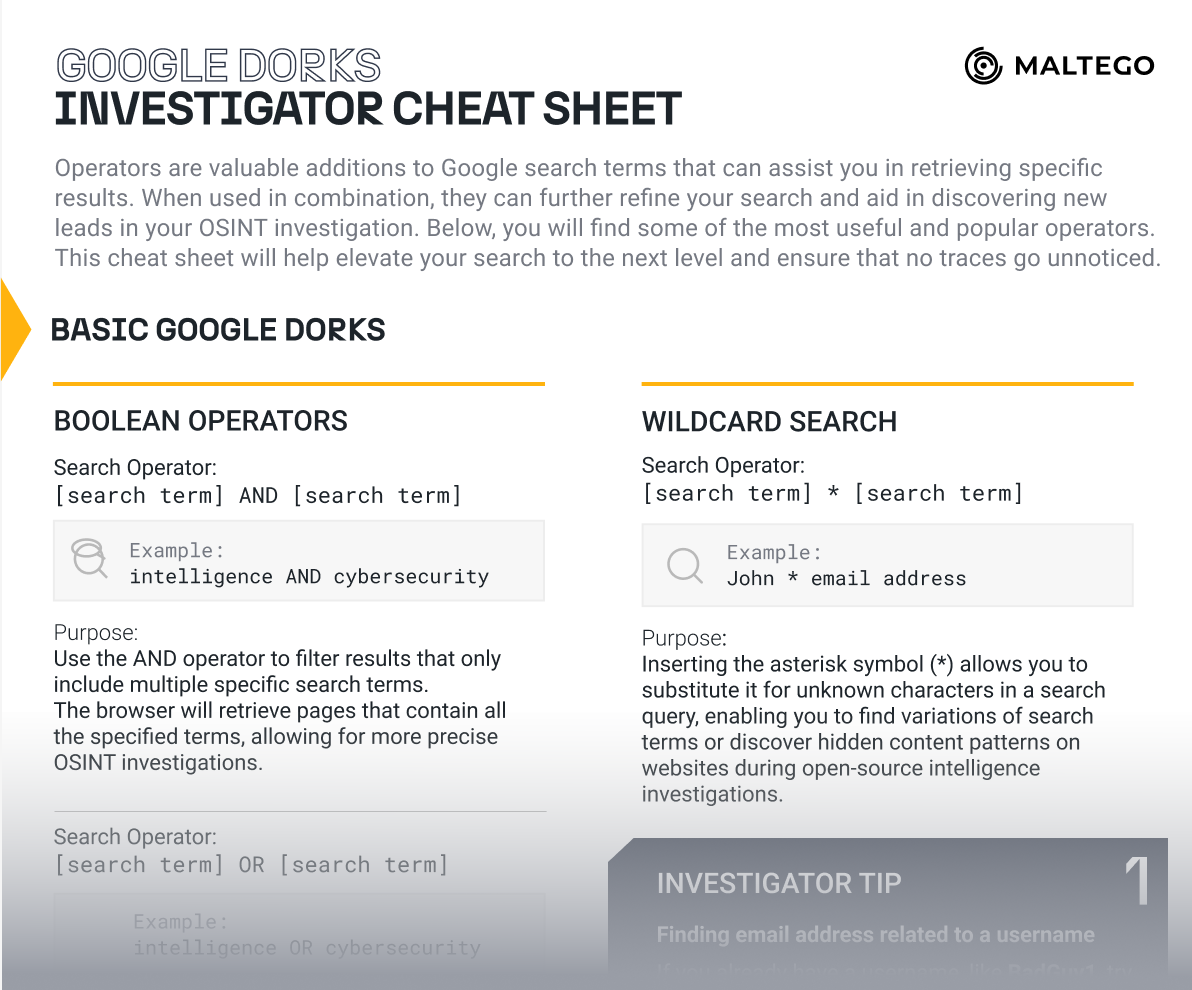
Real-world Google Dork examples used in professional OSINT investigations
1. Finding Exposed Directory Listings
What it does: Searches for web pages with "index of" in the title that also contain the word "confidential". This can reveal exposed directory listings with sensitive files.
Use case: Security researchers use this to identify misconfigured web servers that accidentally expose internal files.
Variations to try:
intitle:"index of" passwordintitle:"index of" backupintitle:"index of" private
2. Government Document Search
What it does: Searches for PDF files on government websites (.gov) that contain the word "confidential".
Use case: Journalists and researchers use this to find declassified or public government documents.
Pro tip: Replace "gov" with other domains like "edu" for academic papers or "mil" for military documents.
3. Admin Panel Discovery
What it does: Finds URLs containing "admin" and pages with "login" content, potentially revealing administrative interfaces.
Use case: Security testers use this to identify admin panels that might be vulnerable or improperly secured.
Important: Never attempt to access admin panels without explicit permission. This is for identification purposes only.
4. SQL Database Exposure
What it does: Searches for SQL files that contain either "password" or "username", which might indicate database dumps.
Use case: Security auditors use this to identify exposed database files that could contain sensitive information.
Related searches:
filetype:db passwordfiletype:mdb passwordext:sql "insert into"
5. Email Address Harvesting
What it does: Finds text files containing email addresses from a specific company domain.
Use case: OSINT investigators use this for legitimate reconnaissance during security assessments.
Tip: Replace "company.com" with your target domain and try different file types like "doc", "pdf", or "xls".
6. Configuration File Discovery
What it does: Searches for various configuration file types that might contain system information or credentials.
Use case: Penetration testers use this to identify misconfigured systems during authorized security assessments.
7. Vulnerable Web Applications
What it does: Finds web applications that might be vulnerable to SQL injection attacks by looking for specific URL patterns.
Use case: Bug bounty hunters use this to identify potentially vulnerable applications for ethical testing.
Ethical note: Only test applications you have permission to test. Report vulnerabilities responsibly.
8. Social Media Intelligence
What it does: Finds LinkedIn profiles of security engineers at a specific company.
Use case: OSINT analysts use this for social engineering awareness training and threat modeling.
Other social platforms:
site:twitter.com "keyword"site:facebook.com "company"site:github.com "api key"
9. Cached Page Analysis
What it does: Shows Google's cached version of a webpage that contains "sensitive information".
Use case: Digital forensics investigators use this to see previous versions of web pages that may have been modified or deleted.
10. Camera and IoT Device Discovery
What it does: Finds web-accessible cameras and IoT devices that have been indexed by Google.
Use case: Security researchers use this to demonstrate the importance of proper IoT device configuration.
Privacy warning: Accessing camera feeds without permission is illegal. This is for awareness purposes only.

Professional investigators combine multiple Google Dork operators for advanced searches
Using Google Dorks for OSINT Safely
Professional OSINT investigators follow specific protocols to ensure their Google Dorking activities remain ethical, legal, and effective. Here's how to conduct OSINT safely.
Professional OSINT Methodology
1. Define Objectives
- • Clearly define what information you need
- • Set scope and boundaries for your investigation
- • Document your research objectives
- • Establish legal and ethical guidelines
2. Start Broad, Then Narrow
- • Begin with general search terms
- • Gradually add specific operators
- • Refine queries based on initial results
- • Document effective query combinations
3. Verify and Cross-Reference
- • Confirm findings with multiple sources
- • Check for data accuracy and relevance
- • Identify potential misinformation
- • Maintain source credibility records
4. Document Everything
- • Record all queries and results
- • Screenshot important findings
- • Maintain chain of custody
- • Create timeline of investigation
Rate Limiting and Avoiding Detection
Why Rate Limiting Matters
Google may temporarily block users who perform too many searches too quickly. This is both a technical limitation and a sign of potentially automated behavior.
Best practices:
- Space out your searches (wait 30-60 seconds between queries)
- Use different search variations to avoid patterns
- Consider using VPN services for sensitive investigations
- Clear cookies and cache regularly
- Use incognito/private browsing mode
Advanced OSINT Techniques
Combining Multiple Operators
This advanced query finds PDF files on LinkedIn for software engineers in New York, while excluding generic profile pages.
Time-Based Searches
Use date ranges to find recent security incidents or historical information within specific timeframes.
Pro Tips for Advanced OSINT
- Use wildcards: The asterisk (*) can represent unknown words in phrases
- Boolean operators: Combine OR, AND, and NOT for complex queries
- Quotation marks: Use for exact phrase matching
- Number ranges: Search for specific years or numerical data
- Related sites: Use "related:" to find similar websites
Best Practices & Professional Tools
Professional investigators don't rely on Google Dorks alone. They integrate these techniques with specialized OSINT tools and platforms for comprehensive intelligence gathering.
Essential OSINT Tools That Complement Google Dorks
TheHarvester
Automated information gathering tool that combines Google Dorking with other search engines and databases.
Gathers emails, subdomains, and hosts from Google
Maltego
Visual link analysis platform that can automate Google Dork searches and create relationship maps.
- • Automated data collection
- • Visual relationship mapping
- • Integration with multiple sources
- • Professional reporting features
SpiderFoot
Open-source intelligence automation platform that includes Google Dork modules.
- • 200+ data sources
- • Automated scanning
- • Web-based interface
- • Threat intelligence integration
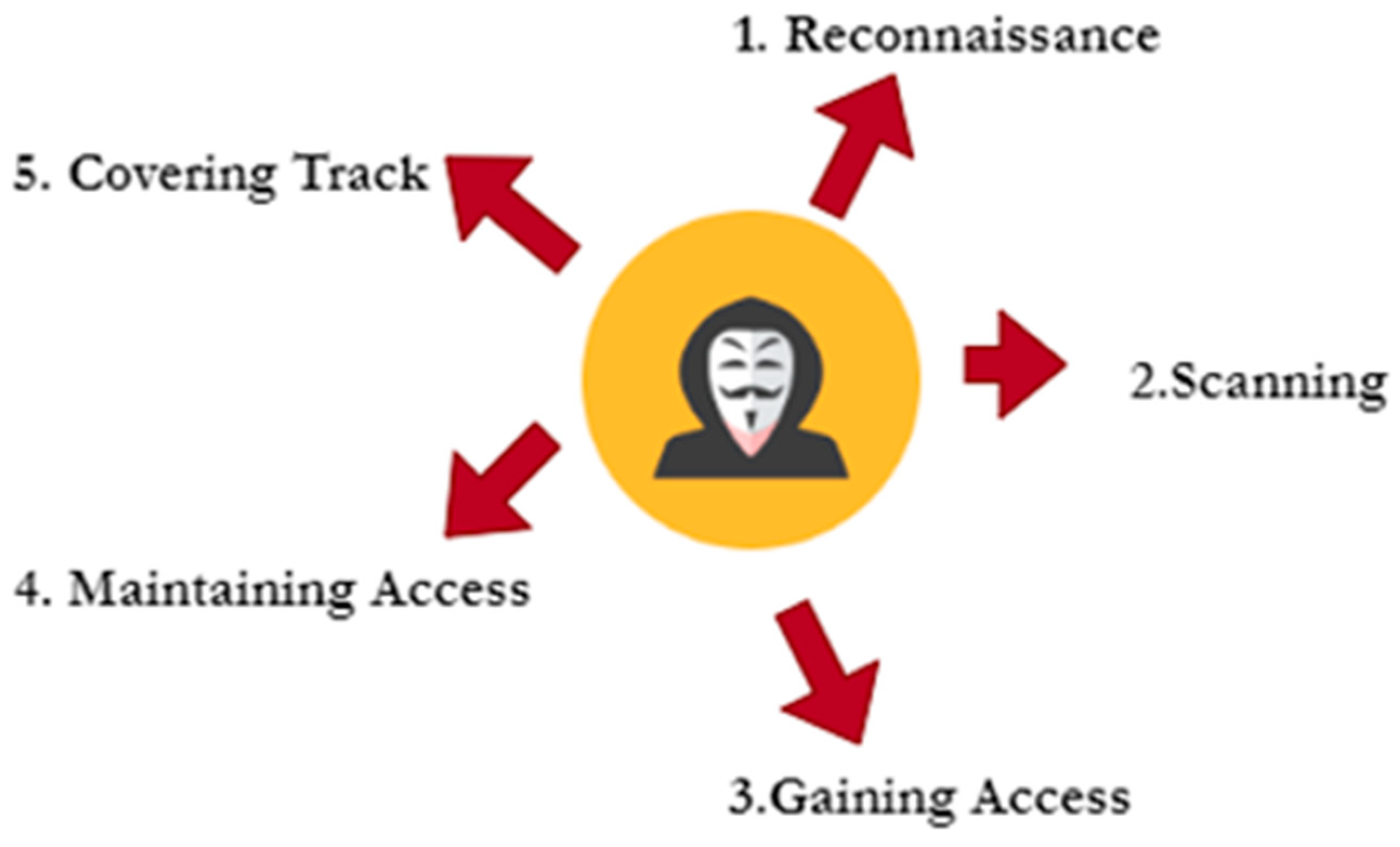
Professional OSINT workflow showing integration of Google Dorks with other intelligence gathering tools
Google Hacking Database (GHDB)
What is GHDB?
The Google Hacking Database, maintained by Exploit-DB, is a comprehensive repository of Google Dorks used by security professionals worldwide. It contains thousands of search queries categorized by purpose.
GHDB Categories
| Category | Purpose | Example Use Case |
|---|---|---|
| Footholds | Initial system access points | Finding login pages and administrative interfaces |
| Files containing usernames | Identity information | Discovering employee lists and contact information |
| Sensitive directories | Exposed file systems | Identifying misconfigured web servers |
| Web server detection | Infrastructure mapping | Technology stack identification |
| Vulnerable files | Security weaknesses | Finding outdated software versions |
Building Your OSINT Toolkit
Essential Skills for OSINT Professionals
Technical Skills
- • Advanced search techniques
- • Social media intelligence
- • Digital forensics basics
- • Network analysis
- • Programming/scripting
- • Database querying
Analytical Skills
- • Critical thinking
- • Pattern recognition
- • Information verification
- • Report writing
- • Timeline analysis
- • Risk assessment
Learning Path for OSINT Mastery
- Foundation: Master basic Google search operators and techniques
- Tools: Learn to use TheHarvester, Maltego, and SpiderFoot
- Specialization: Focus on specific domains (social media, technical, geospatial)
- Automation: Develop scripting skills for large-scale data collection
- Analysis: Advanced data analysis and visualization techniques
- Reporting: Professional intelligence reporting and presentation
Conclusion & Next Steps
Google Dorks represent one of the most accessible yet powerful techniques in the OSINT investigator's toolkit. From uncovering security vulnerabilities to conducting in-depth research, these advanced search operators can reveal information that traditional searches miss entirely.
Key Takeaways
- 🔍 Master the Basics: Start with fundamental operators like site:, filetype:, and intitle: before moving to complex queries
- ⚖️ Stay Ethical: Always respect privacy, follow legal guidelines, and use your skills responsibly
- 🛠️ Use Professional Tools: Integrate Google Dorks with platforms like Maltego, TheHarvester, and GHDB for comprehensive investigations
- 📊 Document Everything: Maintain detailed records of your methodology and findings for credibility and repeatability
- 🎯 Practice Regularly: OSINT skills improve with consistent practice and staying updated with new techniques
The Future of OSINT and Google Dorking
As we move through 2025, the field of OSINT continues to evolve rapidly. Artificial intelligence, machine learning, and automated analysis tools are transforming how investigators gather and process intelligence. However, the fundamental skills of crafting precise search queries and understanding information sources remain crucial.
Emerging Trends
- • AI-powered search automation
- • Real-time intelligence gathering
- • Social media intelligence evolution
- • Dark web OSINT techniques
- • Geospatial intelligence integration
Security Considerations
- • Increased privacy regulations
- • Advanced anti-scraping measures
- • Ethical AI in intelligence
- • Counter-OSINT techniques
- • Digital rights awareness
Ready to Master OSINT and Ethical Hacking?
Start Your Cybersecurity Journey Today
Google Dorks are just the beginning. Explore comprehensive OSINT, ethical hacking, and cybersecurity courses designed for beginners and professionals alike.
100+ Free Courses
From beginner to advanced levels
Industry Certifications
Recognized credentials
Active Community
Learn with peers worldwide
Join thousands of students mastering cybersecurity skills
Recommended Learning Path
- OSINT Fundamentals: Master Google Dorks and basic intelligence gathering
- Technical OSINT: Learn advanced tools like Maltego, TheHarvester, and Shodan
- Social Media Intelligence: Specialize in social platform investigation techniques
- Ethical Hacking Basics: Understand penetration testing and vulnerability assessment
- Digital Forensics: Learn evidence collection and analysis methods
- Threat Intelligence: Advanced analysis and reporting techniques
Visit CourseHunt.tech to start your journey with our comprehensive, free cybersecurity curriculum.
Final Words
The techniques covered in this guide provide a solid foundation for OSINT investigation using Google Dorks. Remember that becoming proficient requires practice, continuous learning, and a commitment to ethical behavior.
The internet is vast, and the information is out there – you now have the tools to find it responsibly and effectively.