16 Billion Passwords Leaked Online in 2025
The largest password leak in history just happened. Here's what you need to know and how to protect yourself immediately.
What Just Happened?
In early 2025, cybersecurity researchers discovered the largest collection of stolen passwords in history - a staggering 16 billion passwords leaked online. This isn't just another data breach; it's a wake-up call that affects virtually everyone with online accounts.
The good news? You can protect yourself right now with the steps we'll show you below. Plus, we'll share free resources to help you learn cybersecurity and protect others too.
Passwords Leaked
Largest breach ever recorded
Major Platforms
Google, Facebook, Apple & more
Preventable
With the right security steps
What Actually Happened?
It Wasn't a Single Hack
Unlike previous major breaches, this wasn't one company getting hacked. Instead, cybercriminals used something called "infostealer malware" - sneaky software that quietly steals passwords from infected computers over time.
Think of it like this: Instead of robbing one bank, criminals planted tiny devices in thousands of ATMs worldwide, collecting card details over months.
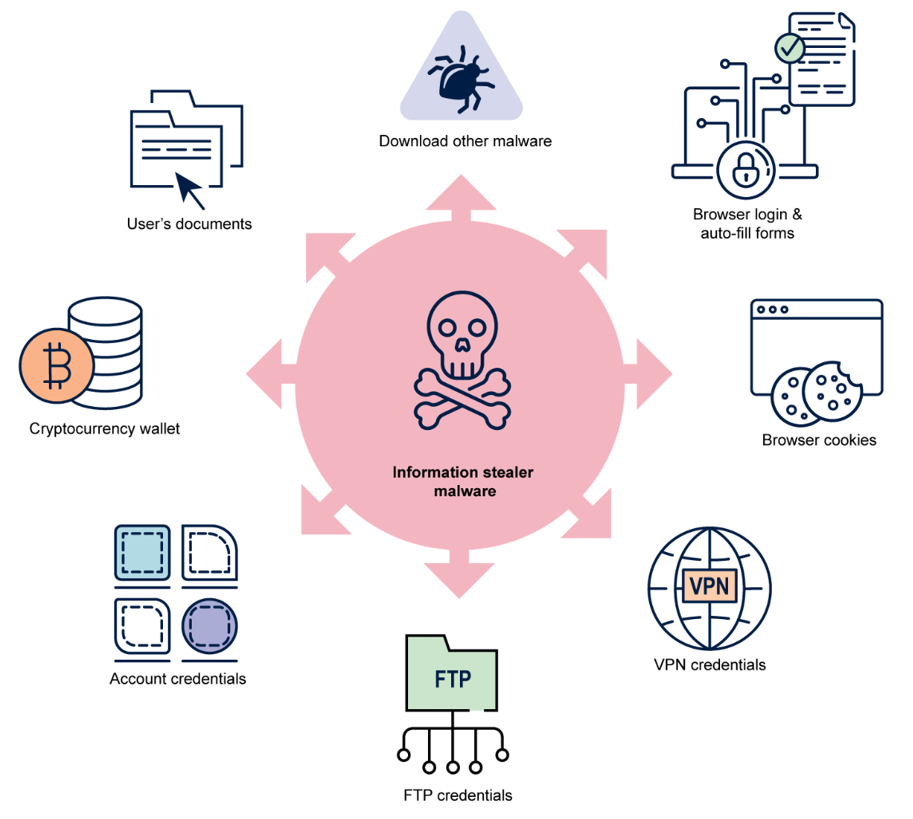
How infostealer malware infiltrates systems and steals credentials
How Infostealer Malware Works:
- Gets installed through malicious downloads or email attachments
- Silently monitors your browsing and steals saved passwords
- Sends your credentials to criminal servers
- Your data gets sold on the dark web in bulk
Who's Affected by This 16 Billion Password Leak?
Short answer: Probably you.
This leak contains passwords from virtually every major platform. If you have accounts on these services, your passwords might be compromised.
Gmail, Drive, YouTube accounts
Facebook/Meta
Facebook, Instagram, WhatsApp
Apple
iCloud, App Store accounts
Telegram
Messaging platform accounts
GitHub
Developer platform accounts
+ Many More
Banking, shopping, work accounts
Was My Account Hacked? Quick Check
Even if your specific password isn't in this particular leak, if you reuse passwords across sites, you're still at risk from previous breaches.
Jump to the "Check Your Accounts" section belowWhy This Password Leak is So Dangerous
Having your password leaked isn't just about someone reading your emails. Here's what cybercriminals actually do with this information:
Credential Stuffing
Criminals use automated tools to try your leaked username/password combination on hundreds of other websites.
Session Hijacking
If your browser session cookies were also stolen, criminals can literally impersonate you online.
Targeted Phishing
With your real information, scammers create very convincing fake emails and messages.
Financial Fraud
Access to your accounts can lead to unauthorized purchases, loans, or identity theft.
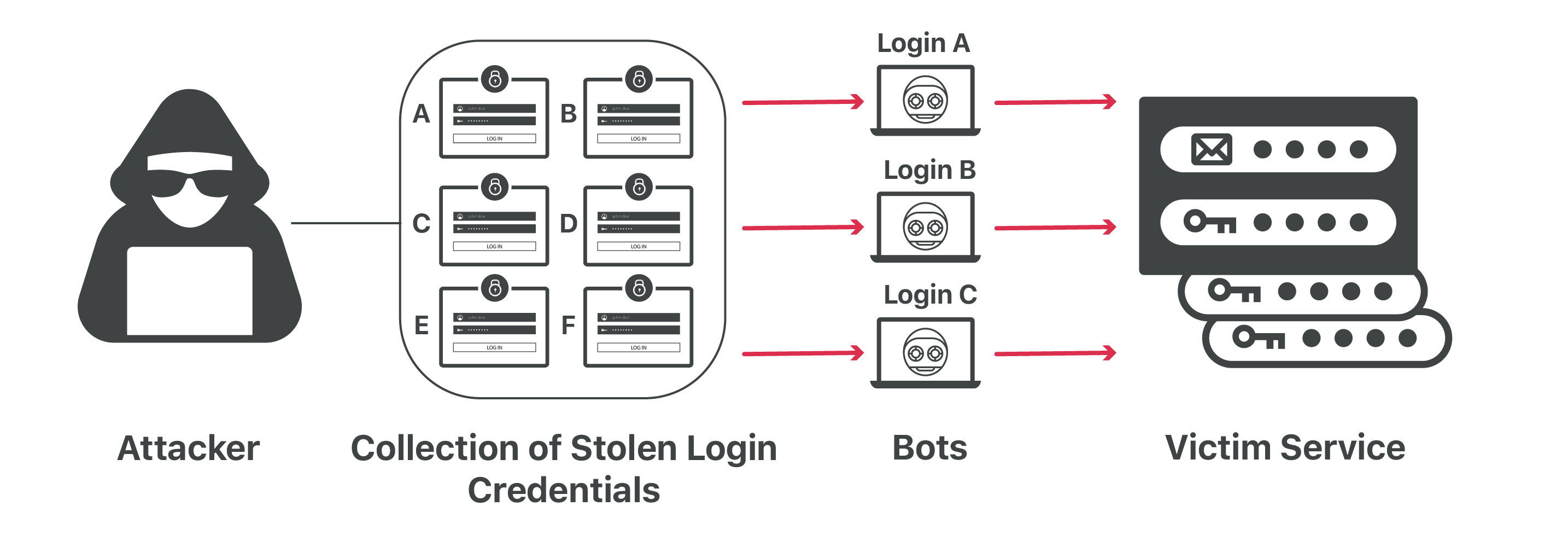
How credential stuffing attacks work with leaked passwords
How to Protect Yourself Right Now
Don't panic! These steps will secure your accounts in about 30 minutes.
Follow these steps in order, and you'll be more secure than 90% of internet users.
Change Your Passwords (Starting with the Most Important)
🚨 Change These First (Next 10 Minutes):
- • Your primary email account
- • Banking and financial accounts
- • Work or business accounts
- • Any account with payment methods saved
📋 Then Change These (Next 20 Minutes):
- • Social media accounts (Facebook, Instagram, Twitter)
- • Shopping accounts (Amazon, eBay, etc.)
- • Streaming services (Netflix, Spotify, etc.)
- • Gaming accounts
💡 Password Creation Tip:
Use this formula: SiteName + PersonalPhrase + CurrentYear
Example: "Amazon" + "MyDogRex!" + "2025" = "AmazonMyDogRex!2025"
Enable Multi-Factor Authentication (MFA)
Even if your password gets leaked again, MFA makes it nearly impossible for hackers to access your accounts.
📱 Authenticator Apps (Recommended)
- • Google Authenticator
- • Microsoft Authenticator
- • Authy (syncs across devices)
🔑 Hardware Keys (Most Secure)
- • YubiKey ($25-50)
- • Google Titan Key
- • Works with USB/NFC
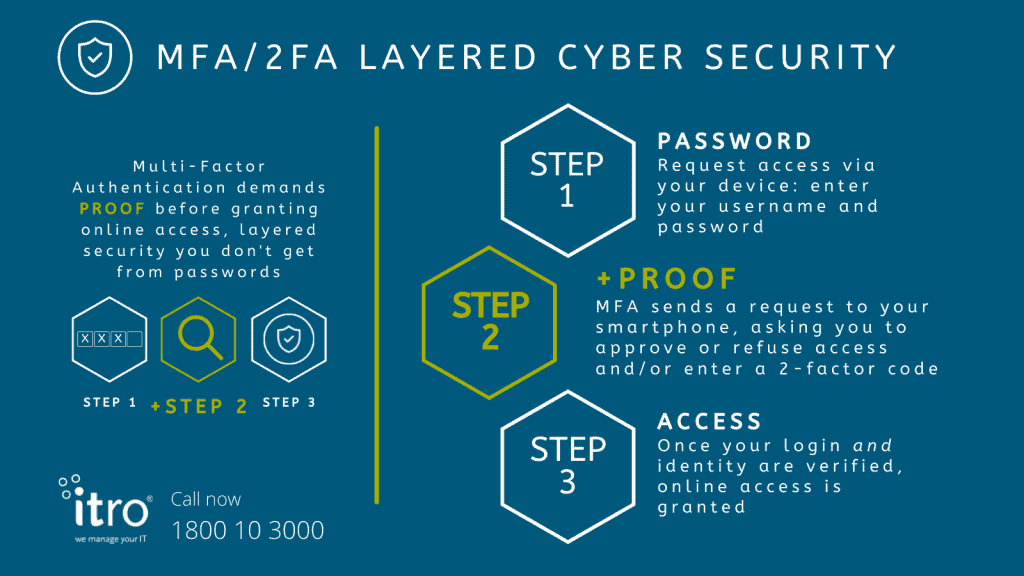
How MFA adds multiple layers of security protection
Use a Password Manager
Password managers generate unique, strong passwords for every account and remember them for you.
1Password
$3/month, excellent security
Bitwarden
Free plan available
LastPass
Popular, user-friendly
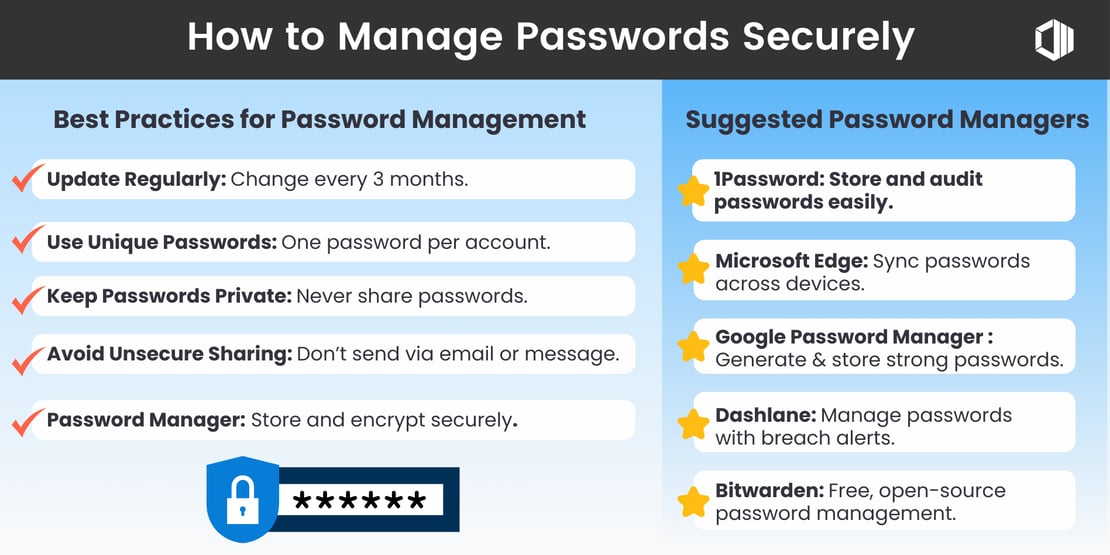
Best practices for secure password management
Check if Your Accounts Were Compromised
Use HaveIBeenPwned.com (Free & Safe)
This trusted service, created by security researcher Troy Hunt, lets you check if your email appears in any known data breaches.
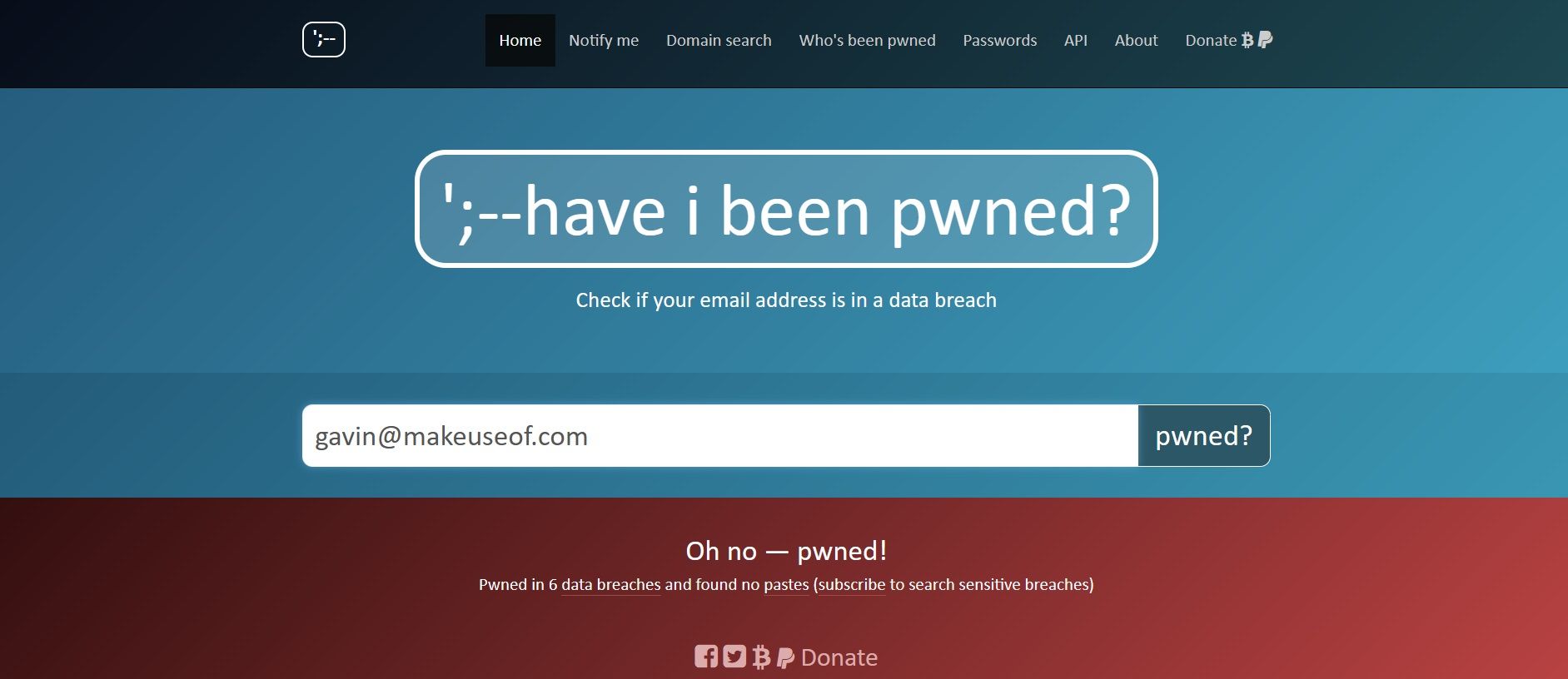
Example of HaveIBeenPwned results showing compromised accounts
What to Do If You Find Breaches:
- • Don't panic - millions of people are affected
- • Change passwords for those specific accounts immediately
- • Enable MFA on all affected accounts
- • Monitor your accounts for unusual activity
Bonus: Learn Cybersecurity for Free (Protect Others Too!)
Want to go beyond just protecting yourself? Learn ethical hacking and cybersecurity skills to help others stay safe too. CourseHunt offers access to premium cybersecurity courses completely free.
Ethical Hacking Courses
Learn penetration testing, vulnerability assessment, and how hackers think
- • Beginner to advanced levels
- • Hands-on practice labs
- • Industry certifications prep
Network Security
Understand how to secure networks, detect intrusions, and analyze traffic
- • Wireshark packet analysis
- • Firewall configuration
- • Network monitoring tools
Web Application Security
Learn to find and fix security vulnerabilities in websites and apps
- • SQL injection prevention
- • XSS attack mitigation
- • Secure coding practices
Essential Tools You'll Learn:
Kali Linux
The go-to operating system for ethical hackers, loaded with hundreds of security tools
Wireshark
Network protocol analyzer that lets you see exactly what's happening on your network
Burp Suite
Web application security testing platform used by professionals worldwide
Metasploit
Penetration testing framework for finding and exploiting vulnerabilities ethically
Ready to Start Learning?
Join thousands of students who are already learning cybersecurity for free on CourseHunt.
Explore Free Cybersecurity CoursesAlways free • No credit card required • Start immediately
Take Action Today - Your Digital Security Matters
You're Now Prepared!
The 16 billion password leak in 2025 was a wake-up call, but you now have the knowledge and tools to protect yourself. Remember:
- Change your passwords starting with the most important accounts
- Enable MFA everywhere - it's your best defense
- Use a password manager to generate unique passwords
- Check HaveIBeenPwned to see if you're affected
Beyond Personal Protection
Security isn't just about protecting yourself anymore. With data breaches affecting billions of people, learning cybersecurity skills helps you:
- • Help family and friends stay secure
- • Build valuable career skills
- • Understand how cyber threats work
- • Contribute to a safer internet
- • Access high-paying job opportunities
- • Stay ahead of evolving threats
Start Your Cybersecurity Journey Today
Don't wait for the next data breach. Take control of your digital security and help others do the same.
Action taken today prevents problems tomorrow
30-Minute Security Checklist
Print this out or bookmark this page. Complete these tasks to secure your digital life:
Immediate Actions (10 min):
- □ Change email password
- □ Change banking passwords
- □ Enable MFA on critical accounts
- □ Check HaveIBeenPwned
Next Steps (20 min):
- □ Install password manager
- □ Update social media passwords
- □ Enable MFA everywhere possible
- □ Browse CourseHunt cybersecurity courses